
Soft surfaces
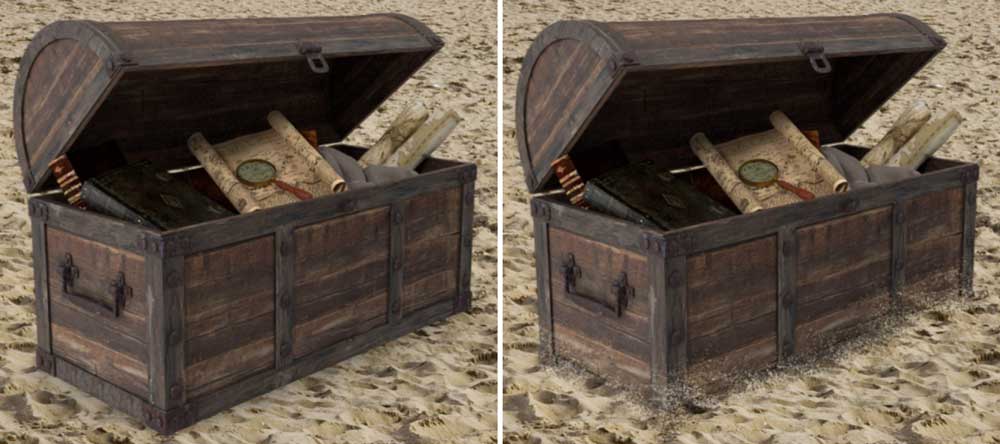
A TREASURE CHEST on a beach. What could be simpler to put together? Except this treasure chest doesn’t look like it’s on the sand. Because that’s not how sand behaves. Much better if the sand rises up around the sides, so it looks as if the chest has sunk into it. It makes all the […]
Merge your montages
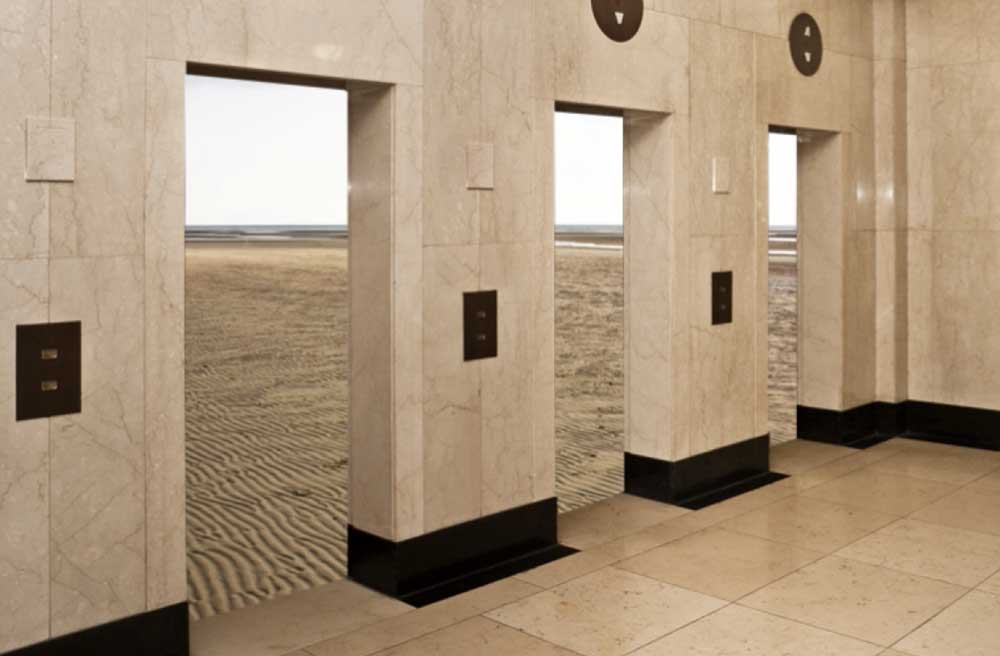
DRAMATIC IMAGES CAN RESULT from simply combining two images. Here, the lift entrances in this 1930s building have been replaced with a view of a desert beyond. The horizon is in the correct place – so why does it fail to convince? It’s the straight line between the two locations. Far better to let them […]
People and cars
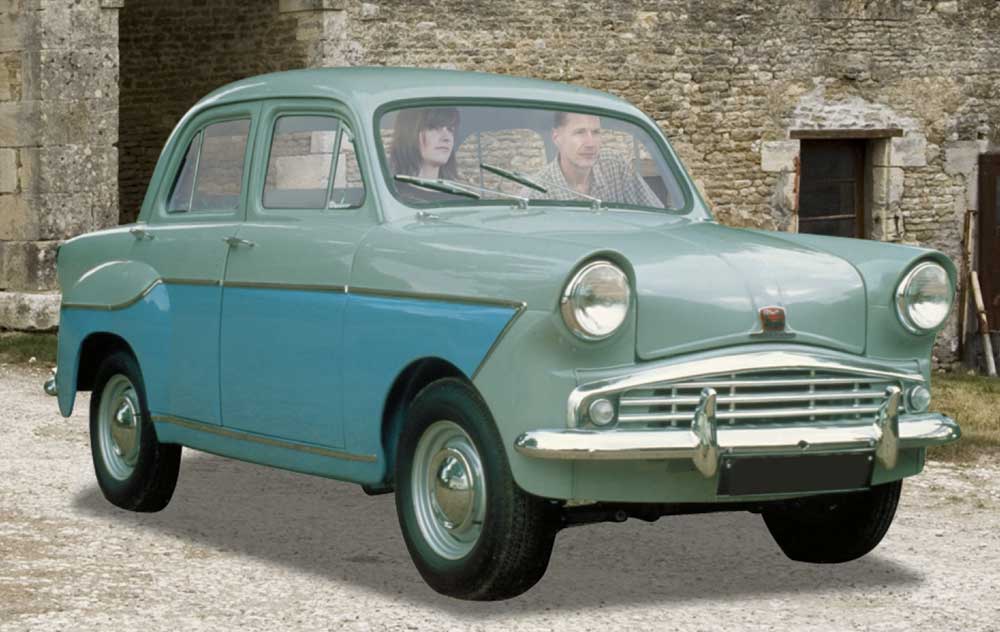
PLACING PEOPLE IN A CAR is a straightforward job for any photomontage artist, provided you can get your head around the tricky cutout of the windscreen wipers. And there’s the happy couple, front and centre. Except this isn’t how cars are designed. It’s a common mistake to put the people much too close to the […]
Glaze your windows
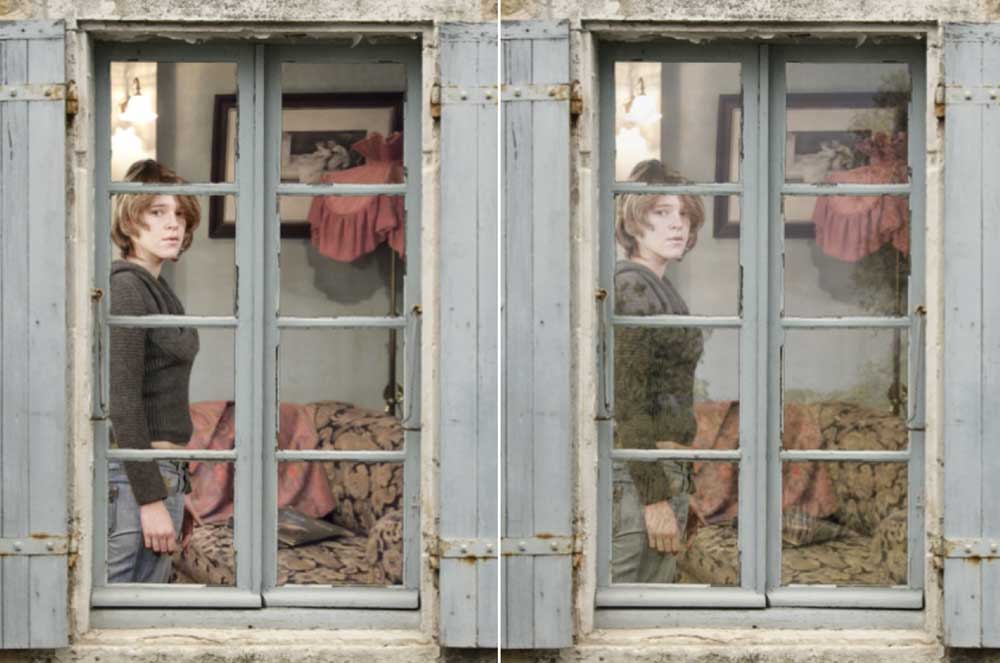
CREATING A VIEW through a window is simply a matter of deleting the original glass and adding an interior behind the windows. I’ve added a person as well for extra interest. But why does the left image, above, look fake? It’s because there’s no glass in the windows. It’s easily fixed. Take a photograph of […]
Foreground action
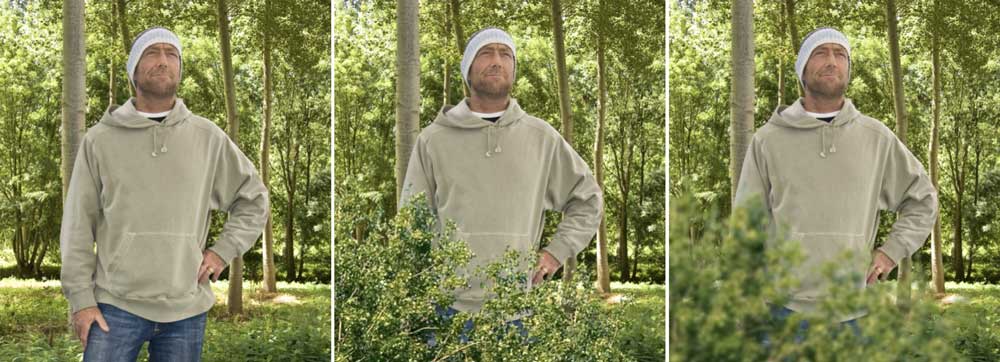
PLACING A PERSON in a scene doesn’t mean the person will look like they belong there. There’s always going to be the person in the foreground, with the landscape or room behind them. But there is a simple trick. In the first image above, a man has been placed in this forest scene. But he […]
Perspective clouds
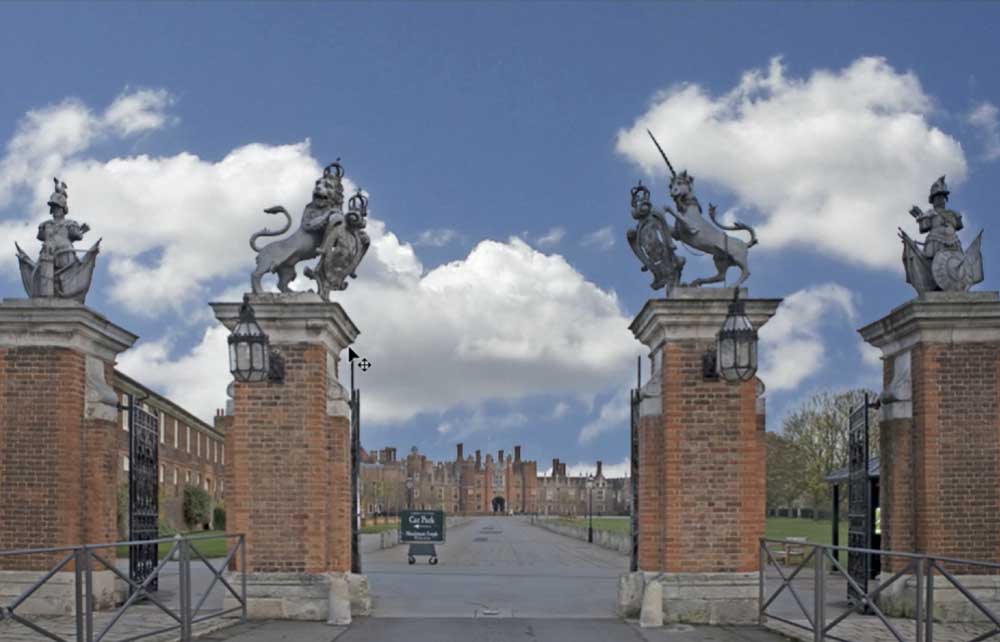
IT’S EASY ENOUGH to replace a dull sky with something more interesting. But there’s one thing that most photomontage artists get wrong: they place the clouds too low in the sky, as the above image shows. Real clouds diminish in size in perspective, so those close to the horizon appear much smaller than those directly […]
Opening doors
IT’S EASY ENOUGH to open a door in Photoshop. But making it look like a real door is a little more tricky. Here’s the closed door. Select it with the Lasso or Pen tools, copy it to a new layer, then duplicate it. Use Free Transform to distort the duplicated layer to open the door, […]